Lifecycle reconstruction
FIXTracer reconstructs order lifecycles from supported FIX messages.
Public Technical Preview
FIXTracer creates a deterministic, self-contained HTML report. It shows the reconstructed lifecycle and supported anomalies with the FIX messages behind them.
Runs locally; no log upload
 Synthetic
Current HTML report / desktop-oriented
HTML reportSelf-contained for local review
Evidence pathFIX message → event → order lifecycle
Local processingFIX logs stay on your machine
The current product
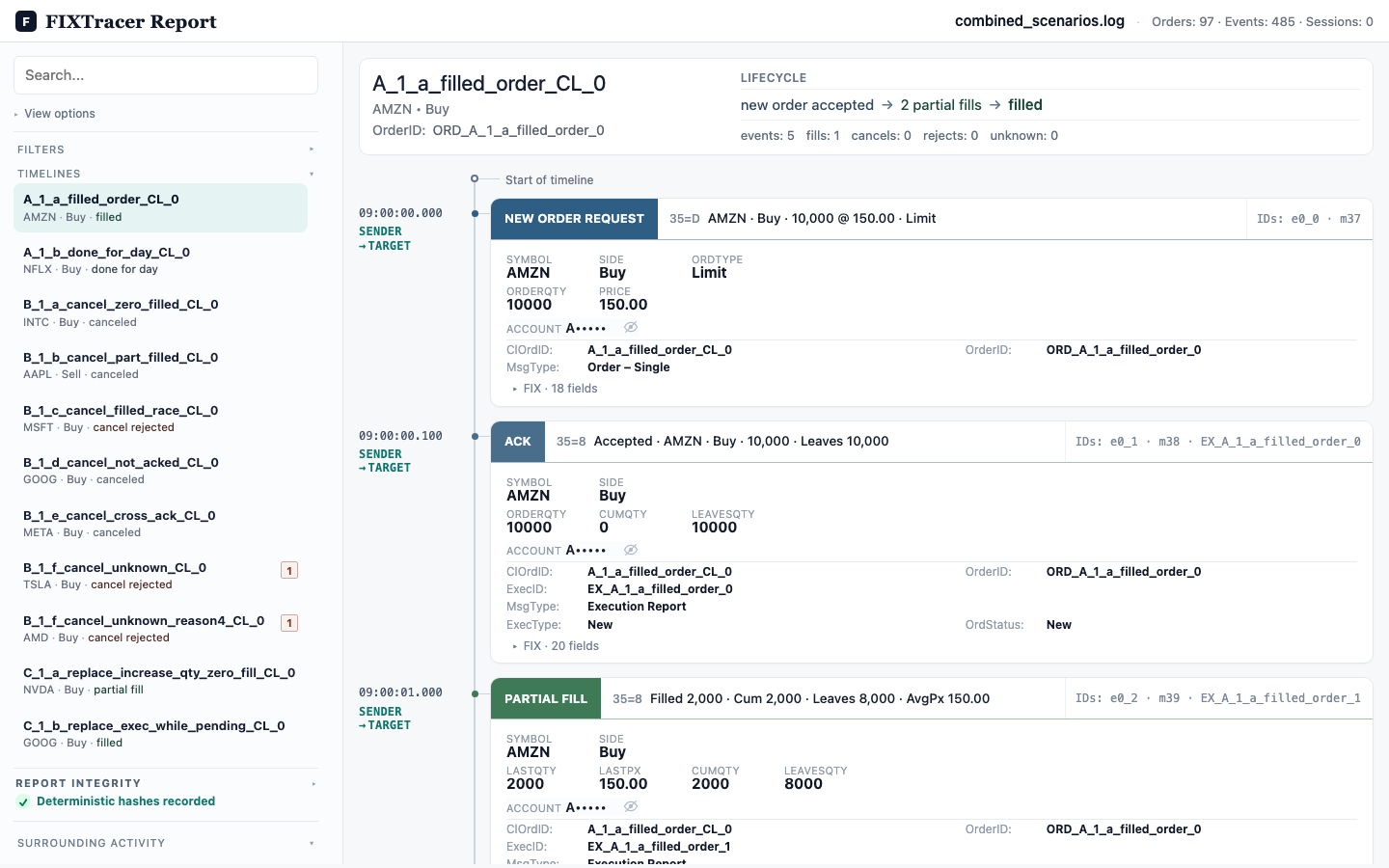
These synthetic captures show the current desktop-oriented HTML report.
Instead of tracing an order across individual FIX messages by hand, inspect the reconstructed lifecycle and open the source evidence when you need it.
Follow an order from the first request through its terminal state.
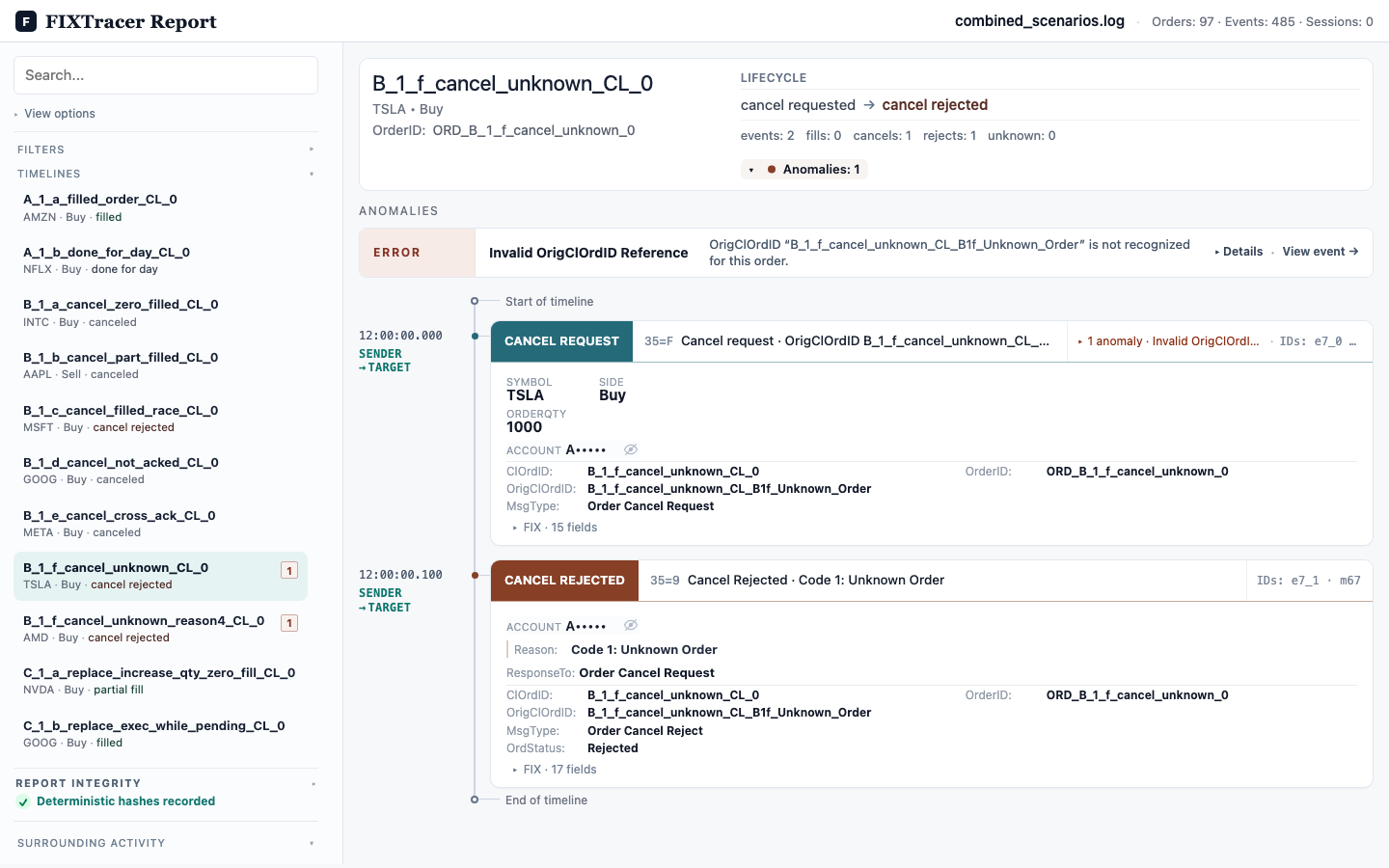
Open a supported anomaly and jump to its related event.
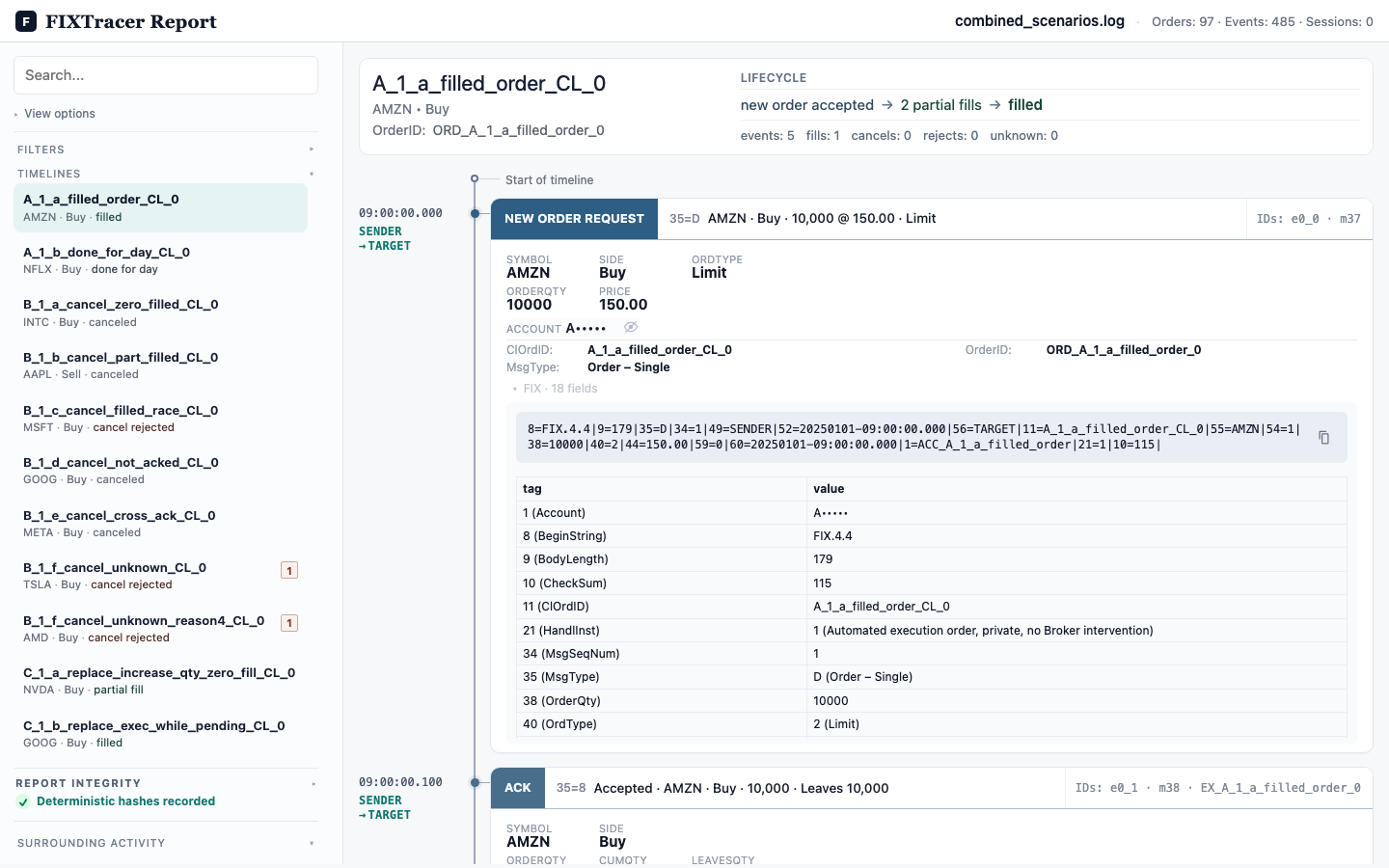
Read decoded FIX fields in the source message.
Every identifier and message shown in these report captures is synthetic.
What FIXTracer does
FIXTracer reconstructs order lifecycles from supported FIX messages.
FIXTracer flags supported anomalies, such as an invalid OrigClOrdID reference or a fill before activation. It links each finding to a related FIX message or event.
FIXTracer creates a deterministic HTML report for local review and sharing through approved channels.
Who it is for
Preview access
There is no public Pro pricing for this preview.
fixtracer reportEvaluation path
Start with a synthetic example. Then run FIXTracer locally on an internal or redacted log that your organization permits you to process.
Check whether the report shows the expected order lifecycle and FIX messages.
Use an approved machine. Process only logs that your organization permits.
Describe useful or confusing report content. Do not include raw production logs.
Feedback and support controls remain disabled until approved public destinations exist.